Make A Rocket Troubleshooting
Diagnose launch failures, spin, fuel flameouts, HUD confusion, and stuck progress before you waste another shop visit.
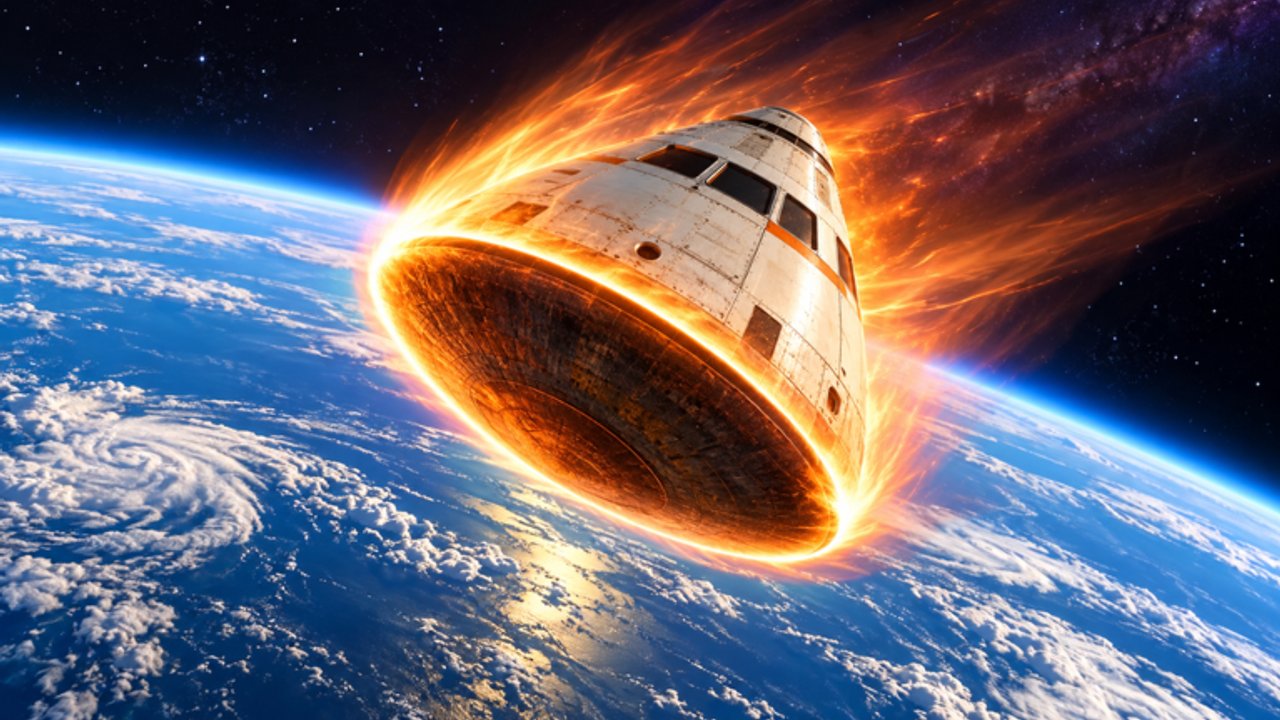
When the rocket refuses to cooperate
Make A Rocket by Aiden Bogo fan club is a free Roblox Simulation / Physics Sim (place 81564438975714, universe 10770528394) with a simple fantasy: build, upgrade for height and speed, earn cash, unlock parts, and explore planets. In practice, most frustration comes from a handful of failure modes that look mysterious until you name them.
This page is a pad-side diagnostic manual. Use it when flights die early, the craft corkscrews, the HUD feels wrong after a patch, or progress seems frozen. Pair it with How to build a rocket, Controls, and the Rocket Parts Tier List.
Quick triage before you rebuild
Do these five checks before scrapping a design:
- Confirm you are in the official experience and not a copy.
- Note the exact failure (no lift, mid-climb flameout, spin, UI missing, shop prices odd).
- Check whether the last Updates note changed parts or payouts.
- Re-read the Controls map for your device.
- Spend one shop visit only on the weak system — not cosmetics.
Most “broken” rockets are unbalanced, not bugged.
Symptom table — flight physics
| Symptom | Likely cause | First fix | Deep link |
|---|---|---|---|
| No lift / crawls off pad | Engine too weak vs mass | Buy Engine before anything else | Tier list |
| Strong start, dies mid-climb | Fuel Tank behind Engine | Catch Tank up one step | Earn cash fast |
| Spin / corkscrew / fishtail | Missing or weak fins | Add Fins; reduce weird offsets | How to build |
| Climbs but cannot aim | Cockpit / control confusion | Relearn inputs; then Cockpit | Controls |
| Looks premium, goes nowhere | Cosmetics-first spend | Reset to Engine→Tank→Fins | Best upgrades |
No lift — diagnosis and fix
If the rocket barely leaves the pad:
- Your Engine tier is the bottleneck. Cash from short hops should go into thrust first.
- Extra decorative mass without thrust upgrades makes the problem worse.
- Confirm launch was actually triggered (see Controls if the button feels dead).
After one Engine purchase, relaunch immediately. If climb rate improves, keep the Engine→Tank rule from Getting Started. If nothing changes, rejoin the server once in case a shop purchase failed to apply, then check Updates for economy notes.
Mid-climb flameout
A flameout is usually Tank lagging Engine by more than one step. The craft looks powerful for the first seconds, then dies while altitude is still rising on paper.
Fix path:
- Stop Engine shopping for one session.
- Farm with a stable mid-distance route from Earn cash fast.
- Raise Fuel Tank until burns last through your current Explore planets band.
- Only then buy the next Engine tier.
Treat flameouts as data: they tell you endurance is the weak system, not that the game “nerfed” your build overnight.
Spin, corkscrew, and fishtail
Unstable flights waste fuel and cash. If every ignition twists the craft:
- Add or upgrade Fins before more thrust.
- Keep the stack visually centered on the thrust axis.
- Avoid stacking offset cosmetics that act like levers in the wind.
Fins are A-tier for a reason on the tier list. A spinning S-tier Engine is just an expensive firework. Rebuild using Template A from How to build a rocket until three launches in a row stay pointed up.
Cannot find the codes button
As of the November 2026 check, Make A Rocket had no verified public codes. If you cannot find a codes UI:
- That may be normal for the current build — the button simply is not there.
- Skim the Codes Hub before hunting menus; the hub tracks whether anything is live.
- Do not install random executors from outside sources just to “unlock codes.” Prefer the Scripts Hub only as a cautious reference, and never as a substitute for learning the loop.
If a future update adds a redeem panel, it will usually sit near the shop or HUD. Re-check Updates and Codes the same day you notice a new button.
Shop prices feel wrong after a patch
After Roblox or experience updates (last known experience update around 31 Oct 2026), prices and part power can shift. Players often assume their account is bugged when the shop simply rebalanced.
What to do:
- Read Updates for the latest patch notes summary.
- Re-open the Rocket Parts Tier List and re-rank what “S-tier this week” means.
- Do not panic-buy every new item. Stick to Engine→Tank→Fins→Cockpit from Best upgrades.
- If a purchase did not appear on the rocket, leave and rejoin once, then verify the part on the pad.
Stuck progress — cash, parts, or motivation?
Stuck usually means one of three things:
- Cash stuck: your farmer fails too often. Switch to stable mid-distance loops in Earn cash fast.
- Part stuck: you maxed one system and ignored balance. Use the symptom table above.
- Goal stuck: you have money but no milestone. Set a PB streak or planet band from Launch goals and Explore planets.
Also confirm you are not soft-locked by etiquette issues on a busy six-player server — see Players if someone is blocking your pad.
Mobile control issues
On phones and tablets, “the rocket is broken” is often input lag or a missed launch control:
- Recenter the camera before ignition.
- Make sure thumbs are not covering the launch GUI.
- Lower graphics briefly if the device stutters during burn.
- Compare your layout to the mobile section of Controls.
If PC flights work and mobile does not with the same parts, the craft is fine — the touch layout needs practice.
Session recovery checklist (10 minutes)
- Name the symptom with the table above.
- Fix only that system with one shop visit.
- Run three test launches; record altitude / distance.
- If improved, resume farming; if not, rejoin and retest.
- Log anything patch-related in your head, then skim Updates.
- Return to a concrete goal via Launch goals or the Guides Hub.
Related pages
- Getting Started
- Best upgrades
- Tools checklist
- Wiki overview
Troubleshoot one variable at a time. Make A Rocket rewards calm pad work more than rage shopping after a single crash.
Frequently Asked Questions
Quick answers for Make A Rocket players.
Why does my Make A Rocket craft not lift off?
Usually the Engine is too weak for the current mass. Buy thrust first, confirm launch input worked, then relaunch before changing other parts.
What causes mid-climb flameouts?
Fuel Tank lagging behind Engine. Pause Engine upgrades, raise Tank until burns cover your target altitude band, then resume thrust shopping.
Where is the codes button in Make A Rocket?
As of the November 2026 check there were no verified public codes, so a codes UI may not exist. Check the Codes Hub and Updates after patches before hunting menus.
My rocket spins every launch — what should I buy?
Fins and a centered stack. Stop buying Engines until three flights stay upright, then return to the Engine→Tank→Fins order.